
Lead generation guide
How to build a list of sales leads in 3 simple steps
A good sales lead list does not need to be complicated. You need the right businesses, in the right area, with enough contact detail to reach them. The hard part has always been pulling that together without hours of manual research. This guide breaks it down into three simple steps you can run today, and shows how MapDemand.ai handles each one.
Step 1: Search a target area
Start with where you want to sell. Enter the town, city, region, or local market you want to target, and the businesses in that area appear on the map. Keeping the area focused, a single town or city to begin with, makes the list easier to work and lets you judge the size of the opportunity at a glance.
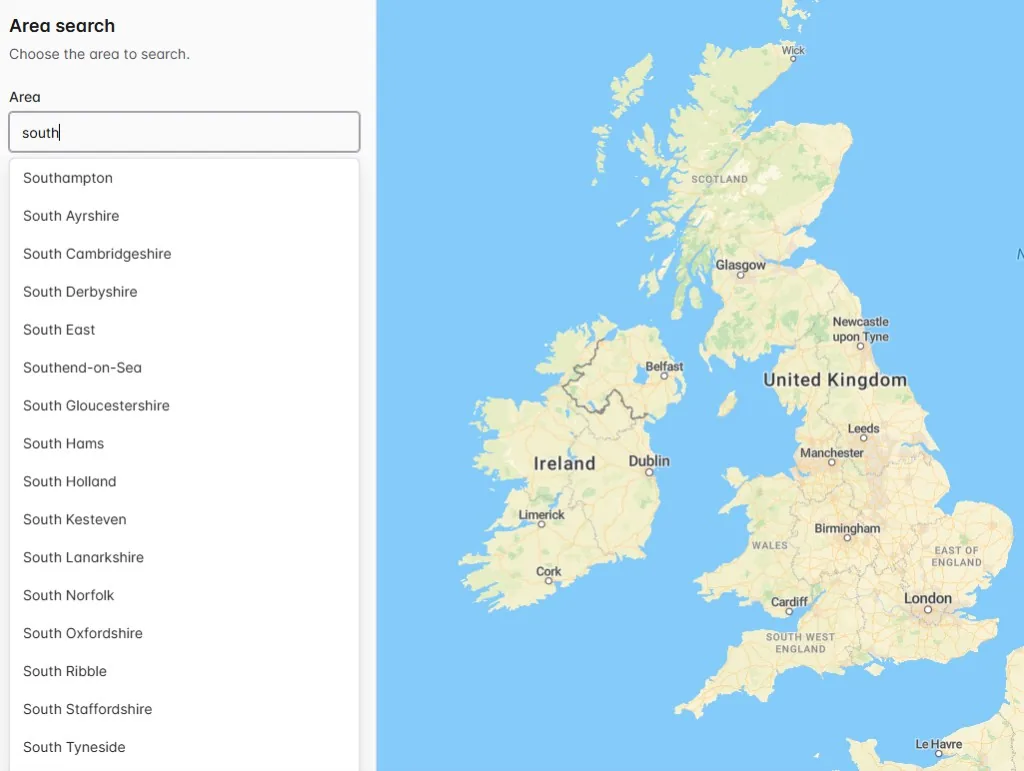
If you cover several patches, run the same search for each one in turn. That way you can compare areas and prioritise where to spend your time.
Step 2: Filter by category or brand
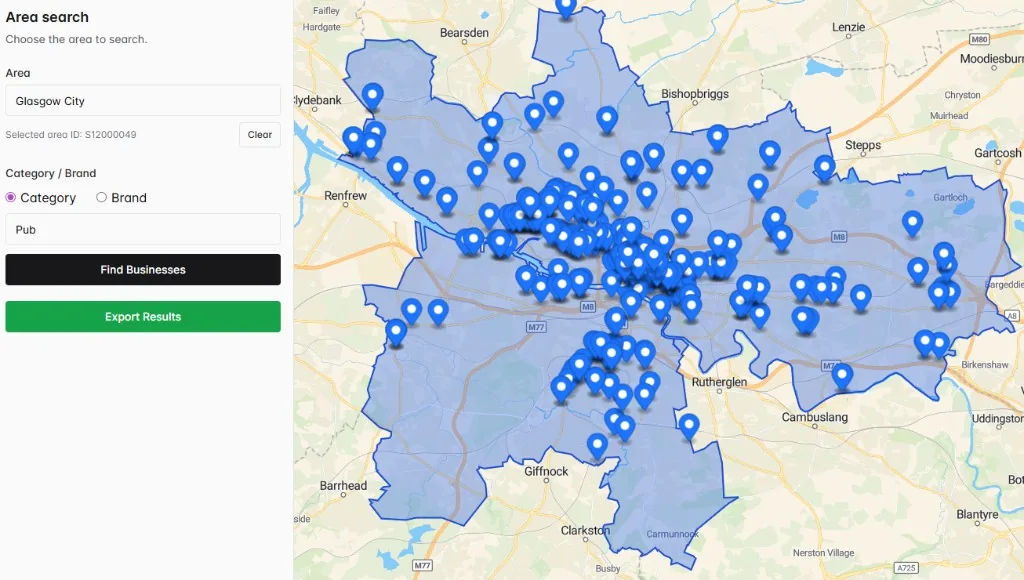
Next, narrow the results to the businesses that actually fit your ideal customer profile. Filter by category to focus on a business type, such as supermarkets, gyms, dealerships, or restaurants, or filter by brand to find specific locations across the area. After this step you are left with prospects rather than a long, unfiltered map.
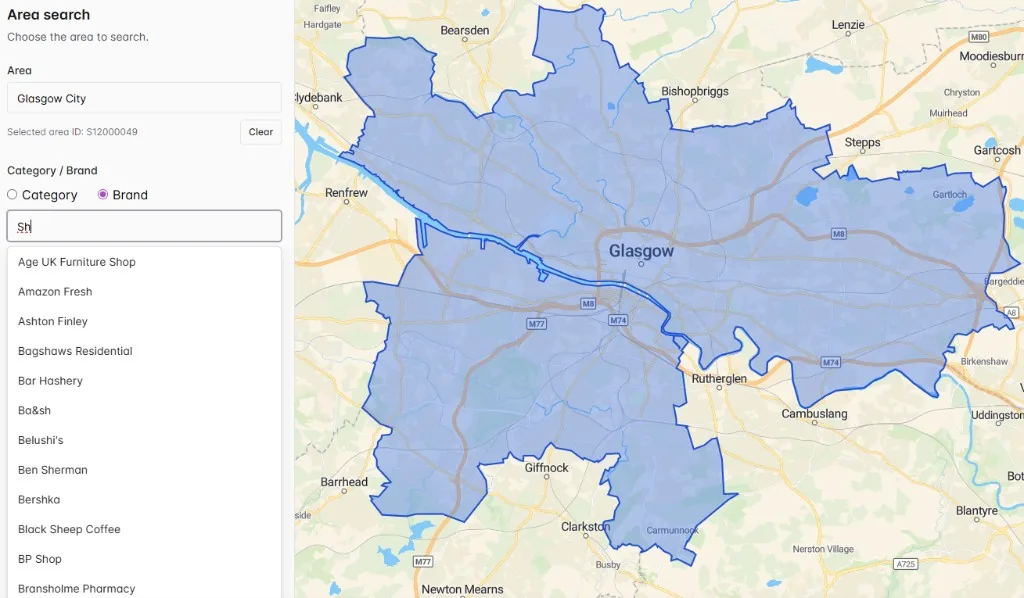
The closer your filter is to who you really sell to, the warmer the resulting list and the less time you waste qualifying out the wrong businesses later.
Step 3: Export your leads
Finally, export the matching businesses as a single list. Depending on what is available for each business, an export can include:
- Business name
- Category or type
- Brand where relevant
- Address or location
- Phone number where available
- Email where available
- Website where available
Contact fields depend on availability in the underlying data and should be checked before outreach. From here you can load the list into your CRM or work straight from a spreadsheet.
Turning the list into pipeline
Once you have the export, the list becomes the start of your outreach plan. A few habits help it convert:
- Segment before you send. Group leads by category or area so your messaging stays relevant.
- Prioritise by fit. Work the businesses closest to your ICP first.
- Refresh regularly. Re-run the search for an area when you want fresh prospects rather than reworking a stale list.
Three steps, one list, and a clear path from an area on a map to pipeline you can actually work.
Frequently asked questions
What are the three steps to build a sales lead list?
Search a target area, filter the businesses in it by category or brand, then export the matching companies. That gives you a list of sales leads with useful contact fields, ready to load into your CRM or work from a spreadsheet.
Do I need a CRM or any data to start?
No. You start with an area search rather than an upload. There is nothing to install and nothing to import to begin. You can export the list and add it to your CRM afterwards if you want.
Are the leads ready for outreach?
Exports include useful contact fields such as phone, email, and website where available, so you can begin outreach quickly. Contact fields depend on availability in the underlying data and should be checked before you contact a business.
Build your sales lead list now
Search an area, filter by category or brand, and export a list of leads in three simple steps.