
Lead generation guide
Discover new leads in your area in 60 seconds
Finding new leads should not take a whole afternoon. If you know the area you want to sell into and the type of business you are after, you should be able to see a list of prospects in about the time it takes to make a coffee. Here is how to discover new leads in your area in roughly 60 seconds with MapDemand.ai.
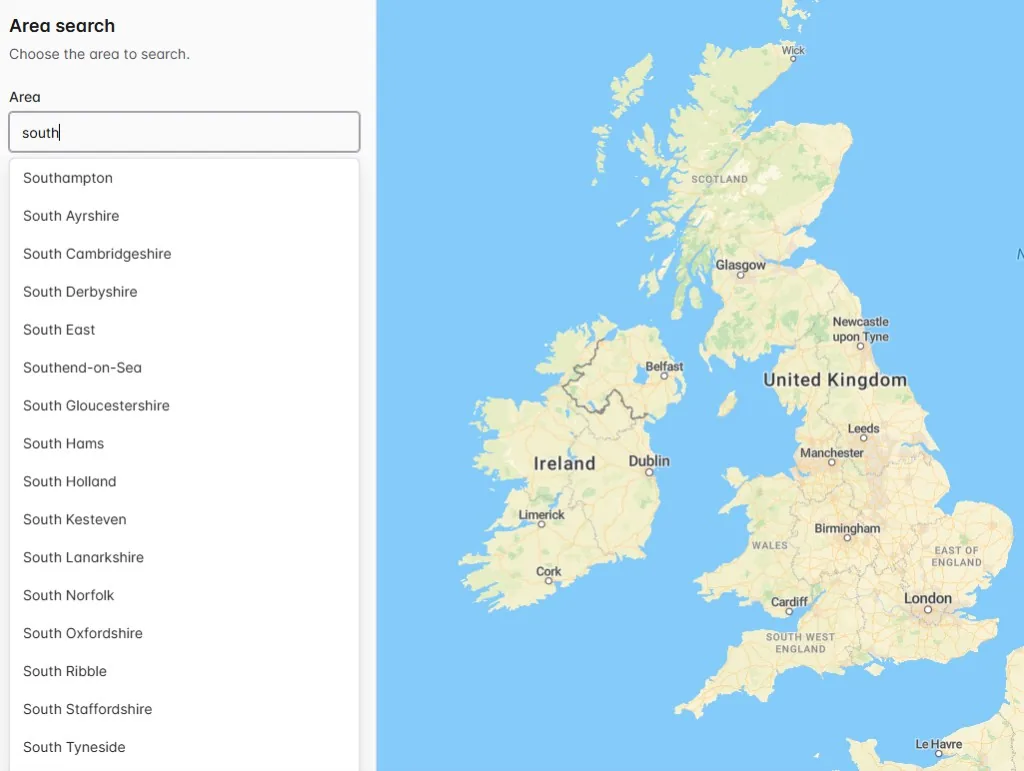
The 60-second version
The whole point of an area search is speed. Here is the short version you can run right now:
- Open the app at app.mapdemand.ai. There is nothing to install and nothing to upload.
- Type your area. Enter the town, city, or region you want to target, such as Exeter or your local patch.
- Pick a category or brand. Choose the business type you sell to, or a specific brand, and the matching businesses appear on the map.
- Export the results. Download the list with useful contact fields and start working through it.
That is it. The search itself returns results in seconds, so most of your minute is spent deciding which area and category to target.
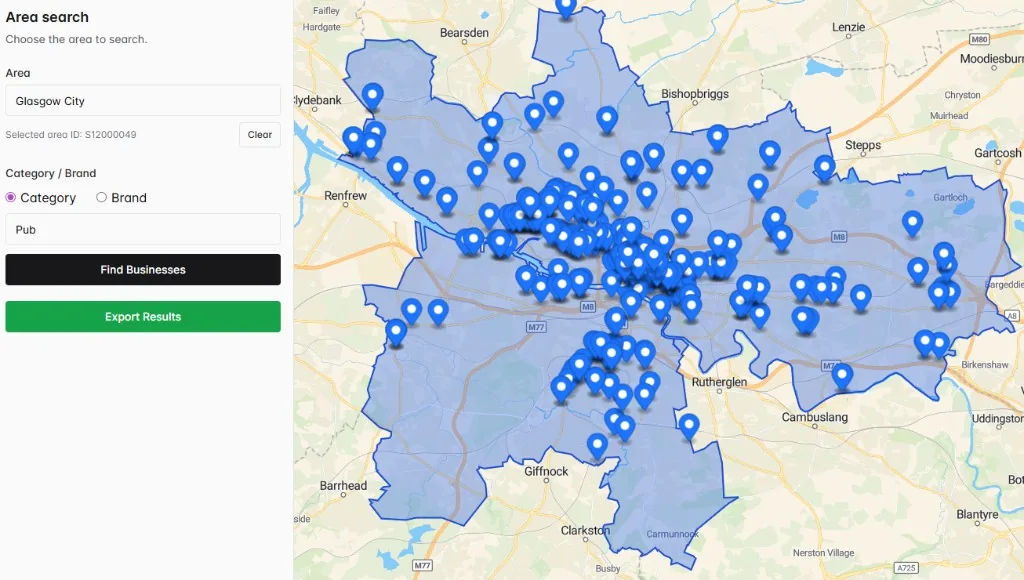
Why an area search beats endless scrolling
Scrolling a map and clicking each pin gives you a feel for an area, but it is hard to turn into a list. An area search flips that around. You describe what you want once, the area and the category or brand, and you get every matching business together. That means:
- You see the size of the opportunity in an area at a glance.
- You avoid missing businesses that were buried below the fold.
- You can compare areas quickly by running the same search for different towns.
Make the most of your first search
A few small choices make the leads more useful from the start:
- Start with one area. A single town or city gives a focused, workable list before you widen out.
- Match the category to your ICP. The closer the category or brand is to who you actually sell to, the warmer the list.
- Export early. Once the results look right, export them so the list is saved and ready for outreach.
From discovery to pipeline
Discovering leads is only the first step. Because the results export with useful contact fields, you can move straight from finding businesses to contacting them. Load the list into your CRM or work from a spreadsheet, and you have turned a 60-second search into the start of real pipeline.
Frequently asked questions
How quickly can I find leads in my area?
Once you know the area and the category or brand you want, an area search returns the matching businesses in seconds. A first pass to see the leads near you typically takes around a minute, and you can export them straight away.
Can I search any area, not just my own town?
Yes. You choose the town, city, region, or local market you want to target, so you can prospect your own patch or a new area you are planning to expand into.
What can I do with the leads after I find them?
You can export the matching businesses with useful contact fields, then load the list into your CRM or work from a spreadsheet to build pipeline. Contact fields depend on availability in the underlying data and should be checked before outreach.
Find new leads in your area now
Search an area, filter by category or brand, and export the matching businesses in about a minute.