
MapDemand.ai news
MapDemand.ai is now live: find businesses and export leads
The MapDemand.ai app is now live at app.mapdemand.ai. The first version is focused on one practical job: helping sales teams generate leads by searching a target area, filtering the businesses in it, and exporting a list they can work from. No CRM upload, no setup project, and no waiting list. You search an area and start building a prospect list straight away.
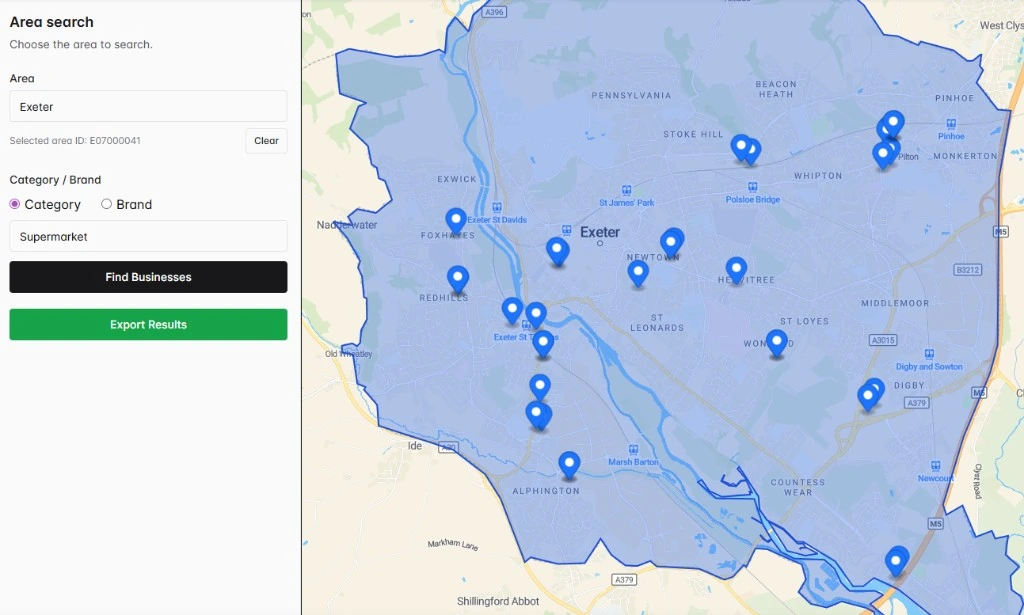
What you can do today
The live app keeps lead generation simple and direct. In a few clicks you can:
- Search an area. Choose the town, city, region, or local market you want to target and see the businesses in that area on a map.
- Filter by category or brand. Narrow the results to the business types you sell to, or focus on a specific brand, so you are left with the companies that matter.
- Export the matching businesses. Download a list with useful contact fields and use it to build pipeline.
What an export includes
Each export gives your team the details they need to start outreach. Depending on what is available for a business, an export can include:
- Business name
- Category or type
- Brand where relevant
- Address or location
- Phone number where available
- Email where available
- Website where available
Contact fields depend on availability in the underlying data and should be checked before outreach. The aim is to save the hours normally lost to manual map searches and copy and paste, not to promise a perfect record for every business.
Who it is for
MapDemand.ai is built for anyone who needs a focused local prospect list. Founders and growth teams can size up a new area before scaling. BDRs and SDRs can build sharper outbound lists by category or brand. Field sales teams can plan who to visit in a town or region. Sales leaders and RevOps can turn an area search into an export the whole team can work from.
How to start
There is nothing to install and nothing to upload to begin. Open the app, search the area you care about, filter by category or brand, and export the businesses that match. If you want a quick overview of the flow first, see the how it works section on the homepage.
Frequently asked questions
Is MapDemand.ai available now?
Yes. The MapDemand.ai app is live at app.mapdemand.ai. You can search an area, filter businesses by category or brand, and export the matching companies to build sales pipeline.
What can I do with MapDemand.ai?
You can search a target area, filter the businesses in that area by category or brand, and export the matching companies with useful contact fields so your team can generate leads and build pipeline.
What fields are included in an export?
Exports can include business name, category or type, brand where relevant, address or location, and phone, email, and website fields where available. Contact fields depend on availability in the underlying data and should be checked before outreach.
Do I need to upload any data to start?
No. You start with an area search. Choose the town, city, or region you want to target, filter by category or brand, and export the businesses that match.
Start generating leads from a map
Search an area, filter the businesses that matter, and export a list your team can work from.